Yes, CAN-SPAM applies to the cold email you’re about to send an employer about ICHRA, and it applies whether you send it to one HR director or five thousand of them. The Federal Trade Commission’s own compliance guide is explicit that the law “makes no exception for business-to-business email” (FTC, CAN-SPAM Act: A Compliance Guide for Business). Most agents have never read it, because for years the only outbound compliance rule that mattered to them was TCPA, and TCPA doesn’t touch email at all.
Key takeaways
- CAN-SPAM applies to every commercial email, including a single message to one employer — there's no B2B exemption and no minimum volume threshold (FTC, CAN-SPAM Act: A Compliance Guide for Business).
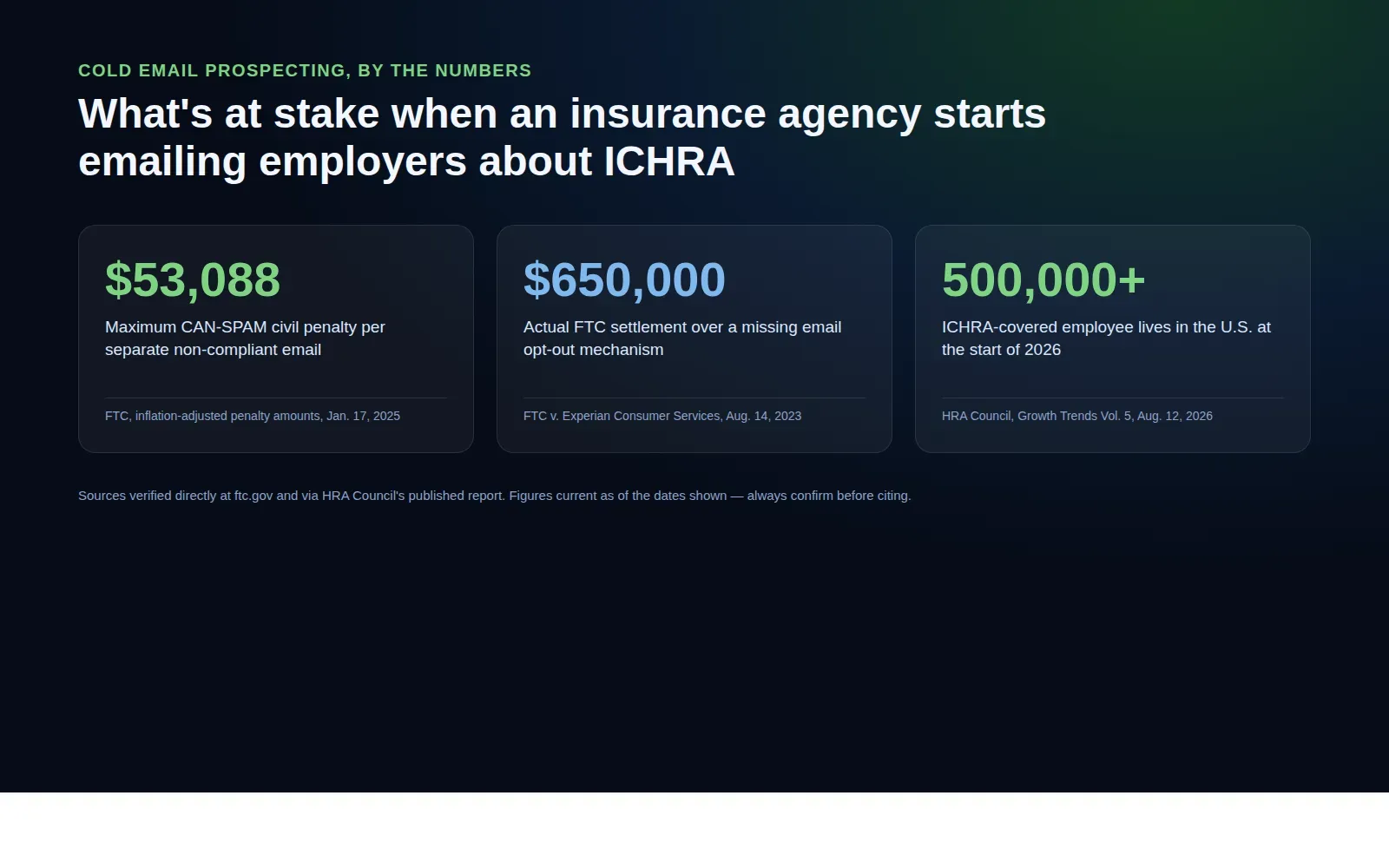
- The maximum civil penalty is $53,088 per separate email in violation, per the FTC's most recent published inflation adjustment; a real 2023 FTC case against Experian Consumer Services settled at $650,000 over missing opt-out mechanisms (FTC, Jan. 17, 2025; FTC, Aug. 14, 2023).
- TCPA and CAN-SPAM are different statutes with opposite defaults — TCPA generally requires consent before you contact someone by call or text; CAN-SPAM doesn't require advance consent for a first email, but the message itself has to meet specific disclosure and opt-out rules.
- More than 20,000 U.S. businesses now offer ICHRA or QSEHRA, covering over 500,000 lives as of the start of 2026, with large-employer adoption more than doubling year over year — which is exactly why more agents are cold-emailing employer groups for the first time (HRA Council, Growth Trends for ICHRA & QSEHRA, Vol. 5).
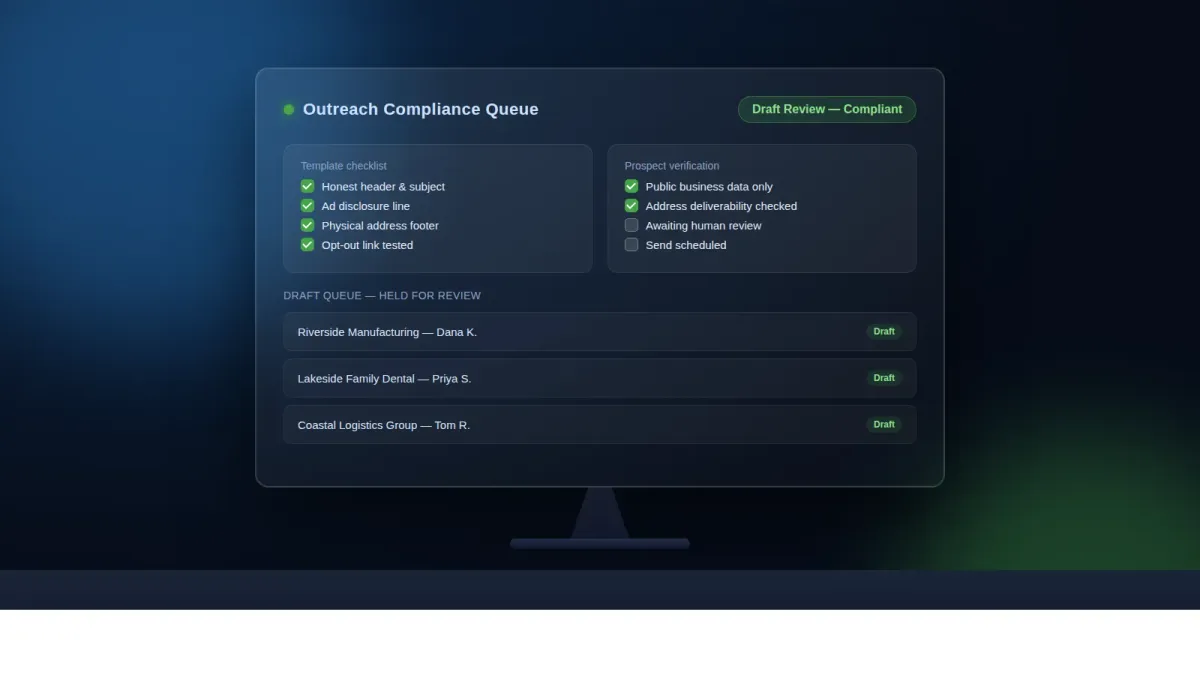
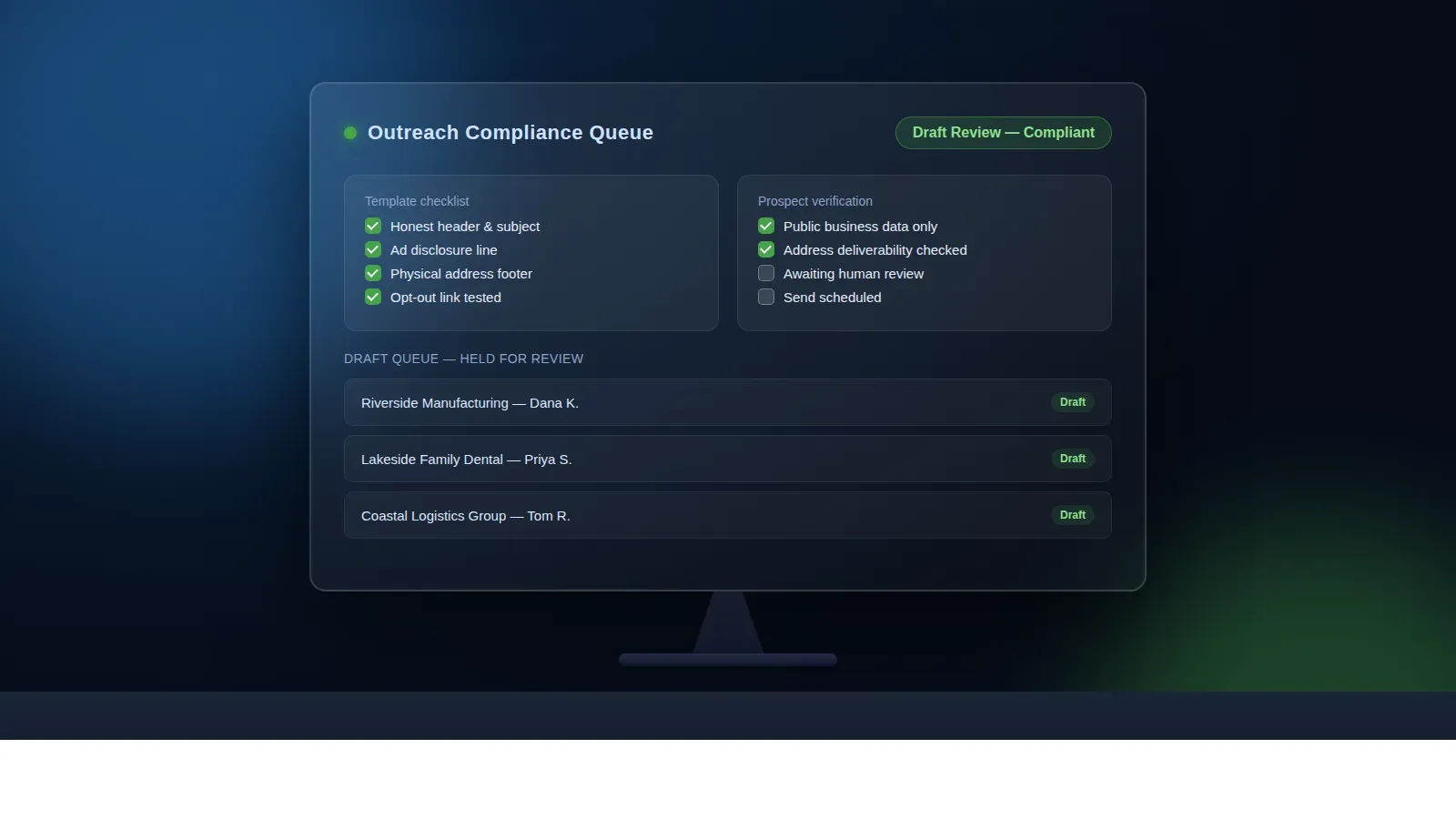
- Ambrose's lead-hunter spoke finds and verifies prospect emails from public business data; channel-bridge dispatches the message in drafts mode by default. Neither one writes your opt-out link or your physical-address footer for you — that discipline stays yours (Ambrose docs, Spokes).
The pain: you finally have a reason to email strangers, and no idea if it’s legal
For most of a Medicare or ACA agent’s career, outbound email means one thing: staying in touch with people who are already your clients or already raised their hand as a lead. You’ve got a TCPA process for calls and texts, a CMS-compliant Medicare marketing routine, and a CRM full of consented contacts. None of that experience covers what’s happening right now: more agents are being pulled into employer-side ICHRA prospecting — cold-emailing HR contacts and small-business owners who have never heard of you, to pitch a benefit they may not know exists.
That’s a genuinely different motion. You’re not following up with a lead who filled out a form. You’re initiating contact with someone who has given you no consent of any kind, because in the ICHRA world, the client relationship usually starts with you reaching out first. And the law that governs that first email isn’t TCPA — it’s CAN-SPAM, a statute most insurance agents have never once had to think about, because until now they never needed to.
This is guidance, not legal or compliance advice
Tech Savvy Insurance is a training and software community, not a law firm, an insurance company, or an insurance agency, and nothing here is insurance, legal, tax, or compliance advice. This article describes what the FTC's own published guidance and enforcement record say, as of the dates cited. Confirm the current text yourself at the URLs cited, and check with your own compliance department or counsel before you change how you prospect — including any state-level rules layered on top of the federal baseline this article covers.
What CAN-SPAM actually requires (most agents have never read it)
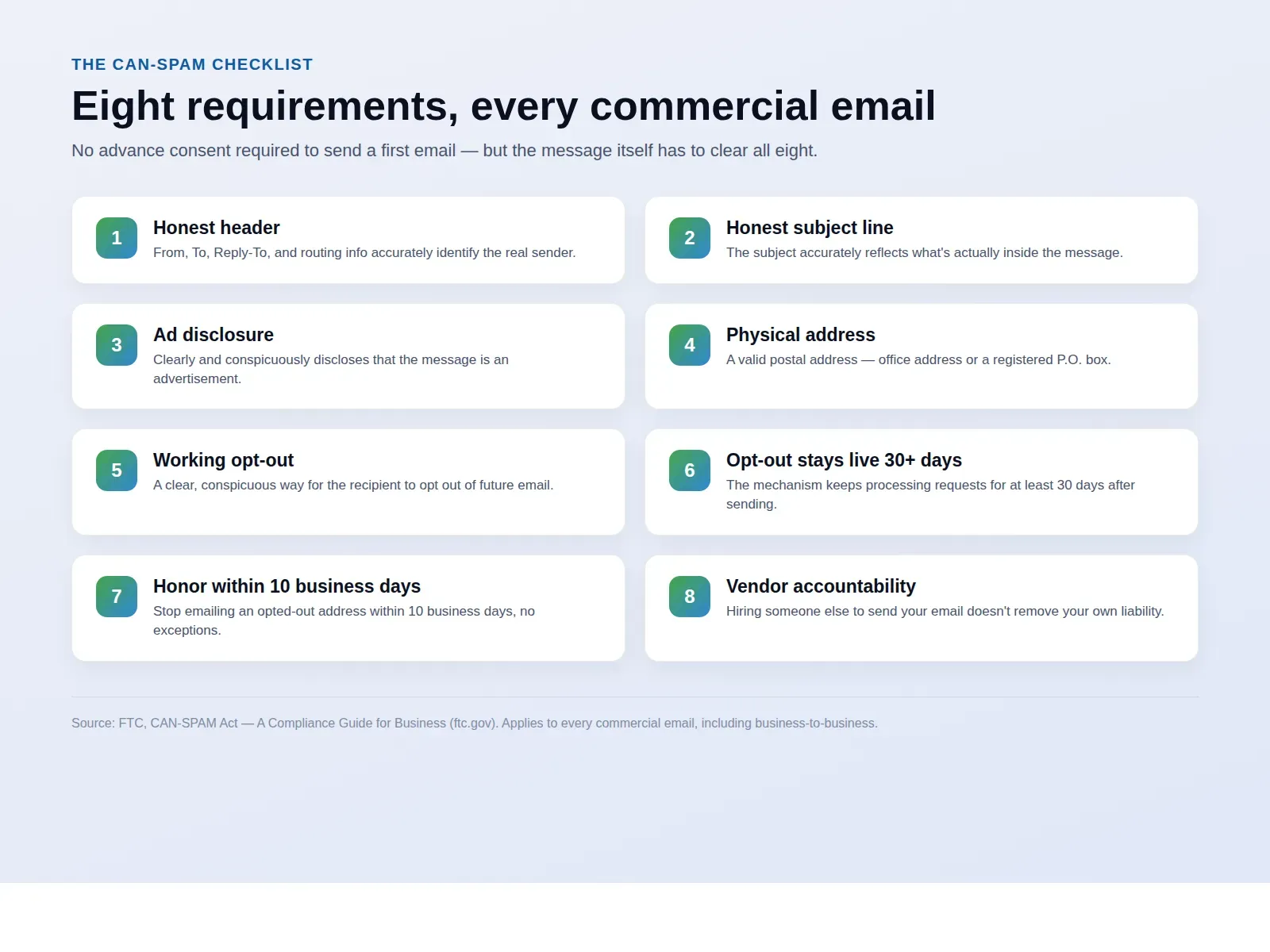
The Controlling the Assault of Non-Solicited Pornography And Marketing Act — CAN-SPAM, the acronym is doing real work — is the federal law governing commercial email, enforced by the FTC. Its compliance guide lays out a specific list of requirements every commercial email has to meet, and none of them are about getting permission first. They’re about what the message itself has to say and do.
| Requirement | What it means in practice | Source |
|---|---|---|
| Honest headers | Your "From," "To," "Reply-To," and routing information must accurately identify you as the sender — no disguised or generic sender identity | FTC compliance guide |
| Honest subject line | The subject has to accurately reflect what's inside the message, not a curiosity hook unrelated to the content | FTC compliance guide |
| Ad disclosure | The message must clearly and conspicuously disclose that it's an advertisement | FTC compliance guide |
| Physical address | A valid physical postal address — your office, or a registered USPS box or commercial mail-receiving agency box | FTC compliance guide |
| Working opt-out mechanism | A clear, conspicuous way for the recipient to opt out of future messages from you | FTC compliance guide |
| Opt-out stays live 30+ days | The mechanism has to keep processing opt-out requests for at least 30 days after you send a given message | FTC compliance guide |
| Honor opt-outs within 10 business days | Once someone opts out, you have 10 business days to stop emailing them — and can't sell or transfer their address afterward except to a company helping you comply | FTC compliance guide |
| Vendor accountability | Hiring a third party to send your email doesn't remove your own legal responsibility for what they send on your behalf | FTC compliance guide |
Every one of those eight is drawn directly from the FTC’s own CAN-SPAM Act: A Compliance Guide for Business. Read the requirement about opt-out timing again: the FTC’s guide states you must “honor a recipient’s opt-out request within 10 business days” and keep the mechanism working “for at least 30 days after sending” the message. That’s a specific, checkable clock — not a vague “reasonable time” standard you can interpret generously when you’re three weeks into a busy prospecting push.
TCPA asks whether you had permission to contact someone. CAN-SPAM assumes you didn't, and tells you exactly what the email has to say instead.
Mike MooreWhy agents assume TCPA covers this, and why it doesn’t
Ask most agents what law governs their outbound prospecting, and they’ll say TCPA — because for a Medicare or ACA book, TCPA is the rule that’s actually bitten someone they know. It governs calls and texts, and its baseline, per the FTC’s counterpart the FCC, is that you generally need the called party’s prior express consent before you contact them for marketing purposes. Agents who’ve built a TCPA-safe follow-up process have internalized a permission-first mindset: get consent, then contact.
Email runs on the opposite default. CAN-SPAM doesn’t require you to get permission before sending a first commercial email — that’s precisely what makes cold email a viable prospecting channel at all, and precisely why agents wrongly assume it must be even more restricted than calls and texts, when it’s actually structured the other way around. What CAN-SPAM demands instead is that the email itself carry specific, checkable disclosures, and that you stop immediately and completely once someone tells you to.
The mix-up isn’t stupidity — it’s that these are genuinely two different federal statutes, built around two different communication channels, with two different logics, and nothing about being good at one tells you anything about the other. A TCPA-compliant text-follow-up sequence and a CAN-SPAM-compliant cold email template have zero overlap in what they actually require. An agent who nails TCPA and never reads the CAN-SPAM guide is not “mostly compliant.” They’re fully compliant on one channel and completely unaddressed on the other.
What it actually costs to get this wrong
The $53,088 figure is a statutory ceiling, not a number every violation draws — but it’s a real one, published by the FTC as the current inflation-adjusted maximum civil penalty available under Section 5(m)(1)(B) of the FTC Act, the provision that covers CAN-SPAM (FTC, FTC Publishes Inflation-Adjusted Civil Penalty Amounts for 2025). Because the cap applies per separate email, the arithmetic on a careless bulk send is genuinely ugly: it isn’t $53,088 total, it’s $53,088 times however many non-compliant emails went out.
The Experian case is the useful counterweight to that theoretical ceiling, because it shows what an actual enforcement action looks like. The FTC’s own August 2023 press release describes charging Experian Consumer Services — the company behind ConsumerInfo.com — with sending marketing emails to consumers who’d signed up to manage their credit reports, without giving them a working way to opt out, in violation of CAN-SPAM. The company settled for $650,000 (FTC, press release, Aug. 14, 2023). Notice what triggered it: not a missing physical address, not a dishonest subject line — a broken or absent opt-out mechanism, the single requirement easiest to bolt onto a template and then never actually test.
The opt-out link is the one worth testing yourself
It's easy to add an "unsubscribe" line to a template and never click it. Send yourself a test copy of every cold-email template before it goes live, click the opt-out link, and confirm it actually removes an address rather than 404ing or routing to an inbox nobody checks. That single five-minute habit is what would have kept Experian's actual violation from happening.
The ICHRA opportunity is why this is showing up now
This isn’t a hypothetical compliance lecture bolted onto a trend nobody’s chasing. Employer-side ICHRA prospecting is growing fast enough that agents who’ve never sent a cold B2B email in their career are starting to, right now, because the market genuinely wants what they’re selling.
ICHRA and QSEHRA adoption, start of 2026
Aggregated from 17 HRA Council member organizations, data as of January 31, 2026.
Source: HRA Council, Growth Trends for ICHRA & QSEHRA, Volume 5, published Aug. 12, 2026. Bars are scaled for legibility, not to a common axis — read the labeled values.
The HRA Council’s fifth annual growth report, aggregating data from 17 member organizations as of January 31, 2026, put more than 20,000 U.S. businesses offering ICHRA or QSEHRA as a benefit, with ICHRA-covered lives alone surpassing 500,000 at the start of the year. Growth among Applicable Large Employers — companies with 50 or more full-time employees, the group historically most locked into traditional group plans — more than doubled year over year, the fastest-growing segment in the report. And more than two-thirds of small businesses offering ICHRA in 2026 had provided no health coverage to their employees before (HRA Council, Growth Trends for ICHRA & QSEHRA, Vol. 5).
Put plainly: there’s a real, growing population of employers who either never offered coverage or are actively looking for an alternative to a group renewal they can’t afford, and most of them have never heard the word “ICHRA” from anyone. That’s exactly the population a cold email campaign is built to reach — and exactly the population where getting CAN-SPAM wrong turns a legitimate opportunity into legal exposure before you’ve written a single quote.
The manual method: a fully compliant cold email workflow, built by hand
None of what follows requires a membership or a tool purchase. It’s a template structure and a short list of habits, and it costs nothing but the time to build it once.
Step 1 — Source your prospect list from public business data only
Start from information that’s already public: a company’s own website, its listed HR or benefits contact, its state business registration, or a general business directory. Never buy a purchased “insurance leads” consumer email list for this — those lists are built for a different purpose, often with consent scoped to something else entirely, and using one to cold-email employers about ICHRA stacks a second compliance problem (see our guide to vetting insurance lead vendors) on top of the CAN-SPAM questions this article already covers.
Step 2 — Build or guess the address, then verify it
If a company doesn’t publish a direct contact email, a common and legitimate approach is pattern-matching against their public domain — [email protected] is a standard convention, not a trick. Whatever method you use, verify the address is actually deliverable before you send to it. A list full of bounced addresses doesn’t just waste your time; a high bounce rate is one of the signals mailbox providers use to flag a sending domain as spam, which can tank deliverability for every legitimate email you send afterward — including to people who already asked to hear from you.
Step 3 — Write the honest header and subject line
Your “From” name should be you or your agency, not a disguised or generic identity. Your subject line has to describe what’s actually in the email — “ICHRA options for [Company]” clears this bar; a subject line written purely to get an open, unrelated to the actual content, doesn’t.
Step 4 — Disclose that it’s an advertisement, clearly
This doesn’t need to be aggressive or ugly. A line as simple as “This is a proposal from a licensed insurance agent” near the top of the message satisfies the disclosure requirement without reading like a legal disclaimer bolted onto marketing copy.
Step 5 — Add your real physical address
Your office address, or a registered USPS box, goes in the footer of every message. This is a one-time template addition, not something you decide per send.
Step 6 — Build a working opt-out link, and test it yourself
The single most consequential line in this whole checklist, per the Experian case above. Add an unsubscribe link or a clear reply-to-opt-out instruction, then actually click it on a test send before the template goes live. Confirm it removes the address from your active list, not just from a spreadsheet nobody checks.
Step 7 — Process opt-outs on a schedule that actually meets 10 business days
Check whatever inbox or system receives opt-out requests daily, not weekly. The FTC’s 10-business-day clock starts the moment the request arrives, not when someone happens to notice it during a busy prospecting week.
Step 8 — Keep a dated copy of every template version
If a state regulator, a carrier compliance department, or an employer ever asks what a specific email said, you want the actual template on file with a date, not a reconstruction from memory.
Public data only
Source contacts from a company's own site or public registration, never a purchased consumer list built for a different purpose.
Verify before you send
A guessed address checked for deliverability protects your sending domain, not just your open rate.
Honest header, honest subject
Your real name or agency, and a subject that describes what's actually inside.
Plain ad disclosure
One clear sentence near the top. It doesn't need to be loud to be compliant.
Real physical address
Office address or a registered box, in the footer of every template, every time.
Tested opt-out link
Click it yourself before launch. This is the one requirement an actual FTC case turned on.
A worked example: one compliant email, start to finish
Here’s what the eight-step checklist looks like assembled into an actual message, sent to a fictional HR contact at a fictional small business. Nothing about the structure is specific to ICHRA — swap the offer and this same skeleton holds for any first-contact B2B email.
From: Mike Moore <[email protected]>
Subject: ICHRA option for Riverside Manufacturing's 2027 renewal
Hi Dana,
This is a proposal from a licensed insurance agent, not an automated system. I work with small manufacturers in the area on group health alternatives, and I noticed Riverside doesn't currently offer a group plan through your public benefits listing.
An ICHRA lets you reimburse employees tax-free toward their own individual marketplace plan, instead of managing group underwriting and renewal increases directly. I put together a two-page breakdown of how it would work for a company your size — happy to send it over, no obligation.
If this isn't useful to you, reply "no thanks" or use the link below and I won't follow up again.
Mike Moore
Licensed Insurance Agent, [Agency Name]
123 Main Street, Suite 200, Yourtown, ST 00000
Unsubscribe from future emails
Walk it against the checklist: the sender name and address are real and match the signature (honest header). The subject describes the actual content — a renewal-relevant option for that specific company — rather than a generic hook (honest subject). “This is a proposal from a licensed insurance agent” states plainly what the message is (ad disclosure). The signature block carries a real street address (physical address). The closing line gives two separate, working ways to stop future contact — a reply option and a link (opt-out mechanism). None of that required knowing the recipient beforehand or getting permission first; it required building the habit into the template once and reusing it on every send.
Where agents get this wrong even when they think they’re careful
"It's B2B, so it's exempt"
- Treats an HR contact's work email as outside CAN-SPAM's reach
- No physical address anywhere in the template
- Opt-out link exists but was never actually clicked to test
- Subject line optimized purely for open rate, unrelated to content
- Bought list of "business leads" with no record of where addresses came from
The eight-item checklist, applied every send
- Every message, B2B included, meets the same eight requirements
- Physical address in the footer of the template itself
- Opt-out link tested by sending a copy to yourself first
- Subject line accurately describes the actual content
- Every address sourced from public business data, with a record of the source
The FTC’s own guidance is unambiguous that “the law makes no exception for business-to-business email” — the single most common assumption that trips agents up here has no basis in the actual statute. The other recurring mistake isn’t a misunderstanding of the rule at all; it’s treating the opt-out link as a checkbox instead of a functioning piece of the message, which is precisely the gap that turned into a $650,000 penalty for a company with far more compliance resources than most independent agencies have (FTC, CAN-SPAM Act: A Compliance Guide for Business; FTC, Aug. 14, 2023).
If AI drafted your outreach copy
A general-purpose AI tool asked to "write a cold email pitching ICHRA to a small business" has no built-in knowledge of CAN-SPAM's eight requirements, and will happily produce a message missing the physical address and the opt-out link, because neither is something the model was told to include. Many states have adopted the NAIC's Model Bulletin on the Use of Artificial Intelligence Systems by Insurers, which the NAIC's own site describes as setting "expectations as to how insurers will govern the use of AI" and requiring responsible use aligned with the NAIC's AI principles (NAIC, Insurance Topics: Artificial Intelligence). Run every AI-drafted template against the checklist above before it goes live — treat it as a first draft that hasn't been checked, not a finished, compliant message.
How Ambrose’s lead-hunter and channel-bridge spokes fit, and where they honestly don’t
Everything above works with nothing but a spreadsheet and an email account. Where Ambrose applies is the two mechanical jobs upstream and downstream of your compliant template: finding and verifying who to email, and getting the message out the door with a human still in the loop.
Per Ambrose’s own spoke documentation, lead-hunter does prospect discovery and email verification through three specific tools: hunter_gmaps_scrape pulls potential contacts from location-based Google Maps searches, hunter_email_guess generates candidate addresses by pattern-matching a prospect’s name against their business domain, and hunter_verify checks whether a generated address is actually deliverable by testing it against mail servers. The documentation is explicit that this runs on “public prospect business data only,” with no client PHI ever crossing the wire — the same discipline the rest of Ambrose’s architecture applies to protected health information, extended here to keep the spoke scoped to information that was never private in the first place (Ambrose docs, Spokes).
Once you have a verified list and a compliant template, channel-bridge is the spoke that actually sends it — described in its own documentation as “the single place messages actually leave your account,” dispatching outbound email, SMS, and Telegram. It operates in drafts mode by default, meaning every message sits for human review before it sends, and auto-send only gets enabled per agent or team after you’ve watched the drafts hold up for a few days (Ambrose docs, Spokes). If a message happens to touch anything routed through the wider tenant, it passes through the phi-gateway spoke first — documented with four tools (phi_scrub, phi_rehydrate, phi_audit_query, phi_check_baa) that scrub identifiers before anything reaches a destination that isn’t covered by a signed Business Associate Agreement (Ambrose docs, Spokes). For this specific workflow that’s mostly a non-issue, since lead-hunter’s source data is public business information to begin with — but it’s the same rail the rest of this site describes for anything that does touch client PHI.
| Task | Doing it by hand | Running through Ambrose |
|---|---|---|
| Finding employer prospects | Manual search across business directories and company sites, one at a time | lead-hunter's hunter_gmaps_scrape pulls candidates from a location-based search |
| Getting a working email address | Guess the pattern yourself, send, and hope it doesn't bounce | hunter_email_guess plus hunter_verify checks deliverability before you ever send |
| Meeting the eight CAN-SPAM requirements | You apply the checklist in this article to every template, every time | Still entirely your call — nothing in lead-hunter or channel-bridge builds these into a template for you |
| Sending with a human check in the loop | Whatever review discipline you personally maintain | channel-bridge holds every message as a draft by default until a human approves it |
Name the mechanism, not just "AI"
The specific things worth naming here are hunter_email_guess, hunter_verify, and channel-bridge's drafts-mode default — not a general claim that "AI keeps your prospecting compliant." Nothing in Ambrose's documentation writes your opt-out link, drafts your ad disclosure, or checks your physical address footer. That checklist stays yours, whether you build the list by hand or with lead-hunter doing the discovery.
Everything in the eight-step method above works today, for free, with a spreadsheet and an email account. This is the kind of build we actually sit down and do together on a Tuesday call — pulling a real employer list with lead-hunter, watching channel-bridge hold every draft for review, and stress-testing the opt-out link on a live send before anyone’s real prospect list gets touched. $97 a month, cancel anytime, and nobody’s going to pitch you a downline while you’re building your ICHRA prospecting list.
What you get by joining
One Ambrose seat, including the lead-hunter and channel-bridge spokes referenced above, comes included with a Tech Savvy Insurance membership: $97 a month, billed monthly, cancel anytime, with the founding rate locked in while the membership stays active. Ambrose usage is billed separately from a prepaid balance, so cost stays visible rather than becoming a surprise later (Ambrose docs, What is Ambrose). Alongside the seat: weekly Zoom calls with open Q&A and build-with-you sessions, more than 30 hours of recorded training, Meta Ads and marketing training built for health and life agents specifically, pre-built AI templates and bot deployments, and a free annual in-person member workshop. It’s also an explicit no-recruiting zone — you can ask a real question about your first cold-email campaign without getting DM’d about a downline an hour later, which isn’t true of most agent Facebook groups.
Build your first compliant ICHRA outreach template this week
Write the eight-item template using the checklist above, test the opt-out link yourself, and send your first ten prospects — no membership required. If you'd rather have the prospect list and verification built for you, with a human-reviewed draft queue and people helping you set it up live, one Ambrose seat comes with the Tech Savvy membership.
Join Tech Savvy — $97/monthRelated reading: our full ICHRA playbook for insurance agents for the underlying product and affordability rules, building branded ICHRA employer presentations for what to send once someone replies, how to vet an insurance lead vendor before you ever buy a list, and our TCPA rules guide for the separate statute governing your calls and texts.
The close
CAN-SPAM isn’t a reason to avoid emailing employer groups about ICHRA — it’s a short, specific checklist that makes doing it safely almost mechanical once you’ve built the template once. Eight requirements, a tested opt-out link, and a record of what you sent and when. The employers are there: more than 20,000 businesses already offer ICHRA or QSEHRA, and large-employer adoption more than doubled in the past year (HRA Council, Vol. 5). Build the compliant template this week, before your next prospecting push, whether or not you ever join anything. If you’d rather have the list-building and verification handled with a human still reviewing every draft, one Ambrose seat comes with a Tech Savvy membership: https://techsavvyinsurance.com/.
Before you rely on any figure in this article
Tech Savvy Insurance is a training and software community, not an insurance company, agency, or law firm, and does not provide insurance, legal, tax, or compliance advice. Results may vary. You are responsible for your own licensure and for complying with CAN-SPAM, TCPA, HIPAA, and your own state's regulations, none of which this article can fully substitute for. Penalty amounts and enforcement practices change; confirm the current figures at the FTC URLs cited above before you rely on them. AI-generated outputs, including anything drafted by an AI tool for your own outreach copy, may contain errors: always verify.
Frequently asked questions
Sources
- FTC — CAN-SPAM Act: A Compliance Guide for Business — ftc.gov
- FTC — FTC Publishes Inflation-Adjusted Civil Penalty Amounts for 2025 — ftc.gov
- FTC — FTC Charges Experian With Spamming Consumers (CAN-SPAM settlement, $650,000) — ftc.gov
- HRA Council — Growth Trends for ICHRA & QSEHRA, Volume 5 (Aug. 12, 2026) — prnewswire.com
- Ambrose docs — Spokes (catalog, including lead-hunter, channel-bridge, phi-gateway) — app.hiambrose.com
- Ambrose docs — What is Ambrose — app.hiambrose.com
- NAIC — Insurance Topics: Artificial Intelligence (Model Bulletin overview) — content.naic.org
Ready to put this into practice?
Join a private community of Health & Life insurance professionals using AI, Meta Ads, and automation to grow — without draining their bank account.
Join Tech Savvy — $97/month