
A weekly production report is a standing summary of where an insurance agency’s book stands right now — new business written, pipeline by stage, production by carrier, and which lead sources are actually producing — built from whatever combination of the CRM, carrier portals, and a spreadsheet an agency happens to be using. Most agencies that build one build it by hand, every week, by exporting data from more than one place and reconciling it manually before anyone reads it. With the 2026 Annual Enrollment Period opening October 15 and running through December 7 (Medicare.gov), the weeks where this report matters most are also the weeks agents have the least spare time to build it. This article shows the complete manual method, then the specific mechanism — Ambrose’s ghl spoke and a scheduled Routine — that replaces the manual export-and-reconcile step with a report that shows up in Slack on its own.
Key takeaways
- A weekly production report is different from commission reconciliation — it tracks pipeline, volume, and lead-source performance, not whether a carrier paid you correctly. Both are worth doing; they're not the same document.
- The 2026 Medicare Annual Enrollment Period runs October 15 through December 7, with all changes effective January 1, 2027, and the plan must receive the enrollment request by December 7 — there's no grace period after the deadline (Medicare.gov).
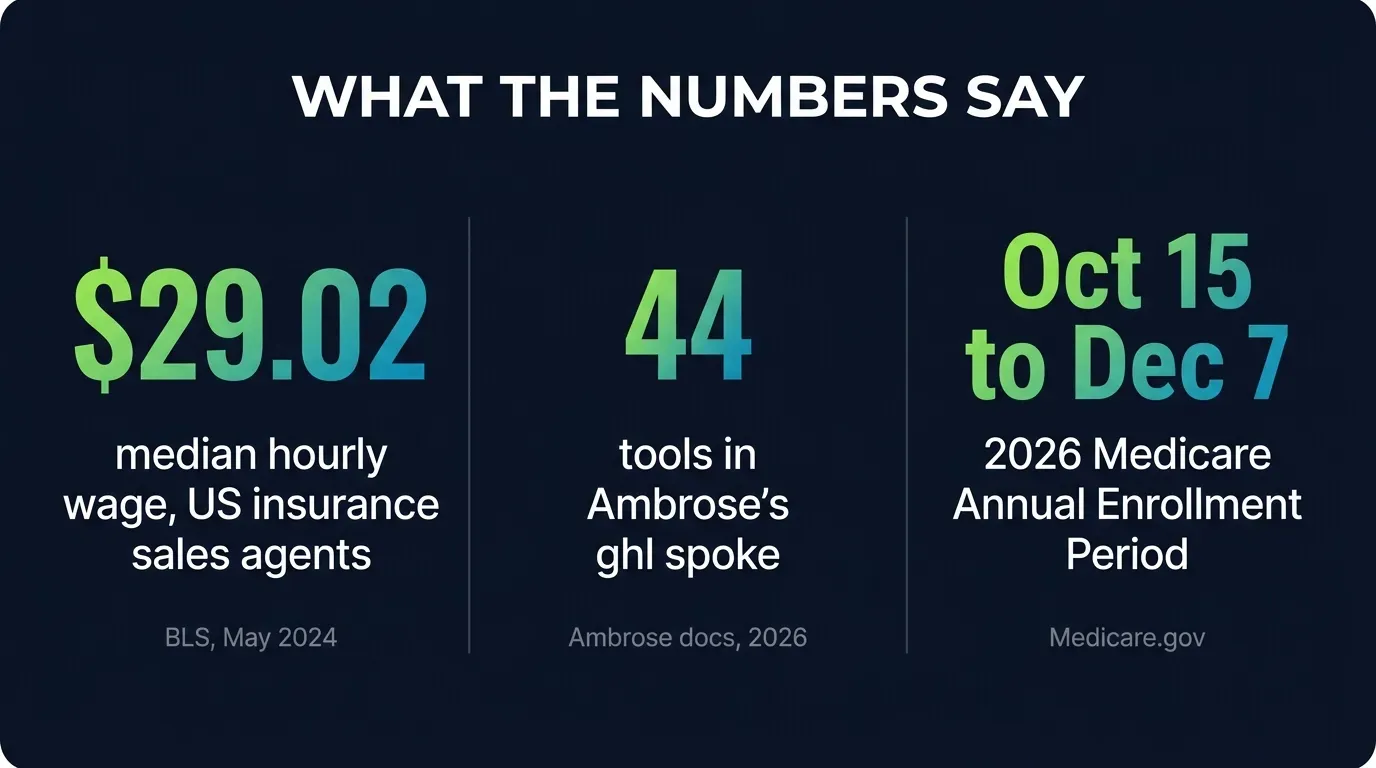
- The median hourly wage for a US insurance sales agent was $29.02 in May 2024, across 568,800 people employed in the occupation nationally — the honest, sourced baseline for pricing your own time against a manual reporting task (BLS, Occupational Outlook Handbook).
- Ambrose's
ghlspoke is a documented 44-tool connector to GoHighLevel's v2 API, including dedicated pipeline and opportunity tools — the mechanism a Routine uses to pull the numbers automatically instead of you exporting them by hand (Ambrose docs, spoke-ghl, fetched August 2026). - A Routine is, in Ambrose's own words, "a scheduled prompt attached to an agent or a team," run on a standard cron schedule with output to Slack, email, a GHL note, or log only (Ambrose docs, Routines, fetched August 2026).
This is about pipeline and production, not commission accuracy
If you're trying to catch a commission a carrier shorted you, that's a related but different problem, covered in our guide to insurance commission reconciliation. This article is about knowing what's in the pipeline and what closed — the operational picture, not the payment audit.
What a weekly production report actually is
A production report answers one question an agency owner, a sales manager, or an upline asks constantly, in some form: where do we actually stand right now? That question breaks into four parts that show up in almost every version of this report, regardless of agency size or line of business:
Pipeline by stage. How many opportunities are sitting in each stage of the sales process — new lead, contacted, quoted, application submitted — and how long has each one been sitting there. A pipeline that looks full at a glance can be full of leads that have gone stale, and the only way to tell the difference is a stage-by-stage breakdown with dates attached.
New business written this period. Policies issued, premium written, broken out by carrier and by product line (Medicare Advantage, ACA, life, Medicare Supplement). This is the number most people mean when they say “production” — what actually closed, not what’s still in motion.
Lead source performance. Which channel — Meta Ads, Google Ads, referrals, an FMO lead program — is actually producing closed business, versus which one is producing volume that never converts. Without this broken out weekly, an agency can keep paying for a lead source for months after it stopped working, because the aggregate pipeline still looks busy.
A flag list. Anything stalled past whatever threshold the agency sets — a lead that’s gone seven days without a touch, an opportunity that’s been sitting in the same stage for a month. This is the section that turns a report from a look-back into something someone actually acts on that day.
Some agencies build this because they want it — a solo agent tracking their own numbers, an agency owner who wants a Monday-morning snapshot before the week starts. Others build it because an upline, an FMO, or a carrier relationship requires a regular production update as part of the appointment agreement. Either way, the mechanics of assembling it are the same, and so is the problem: the data this report needs rarely lives in one place.
The pain: rebuilding the same report from scratch, every week
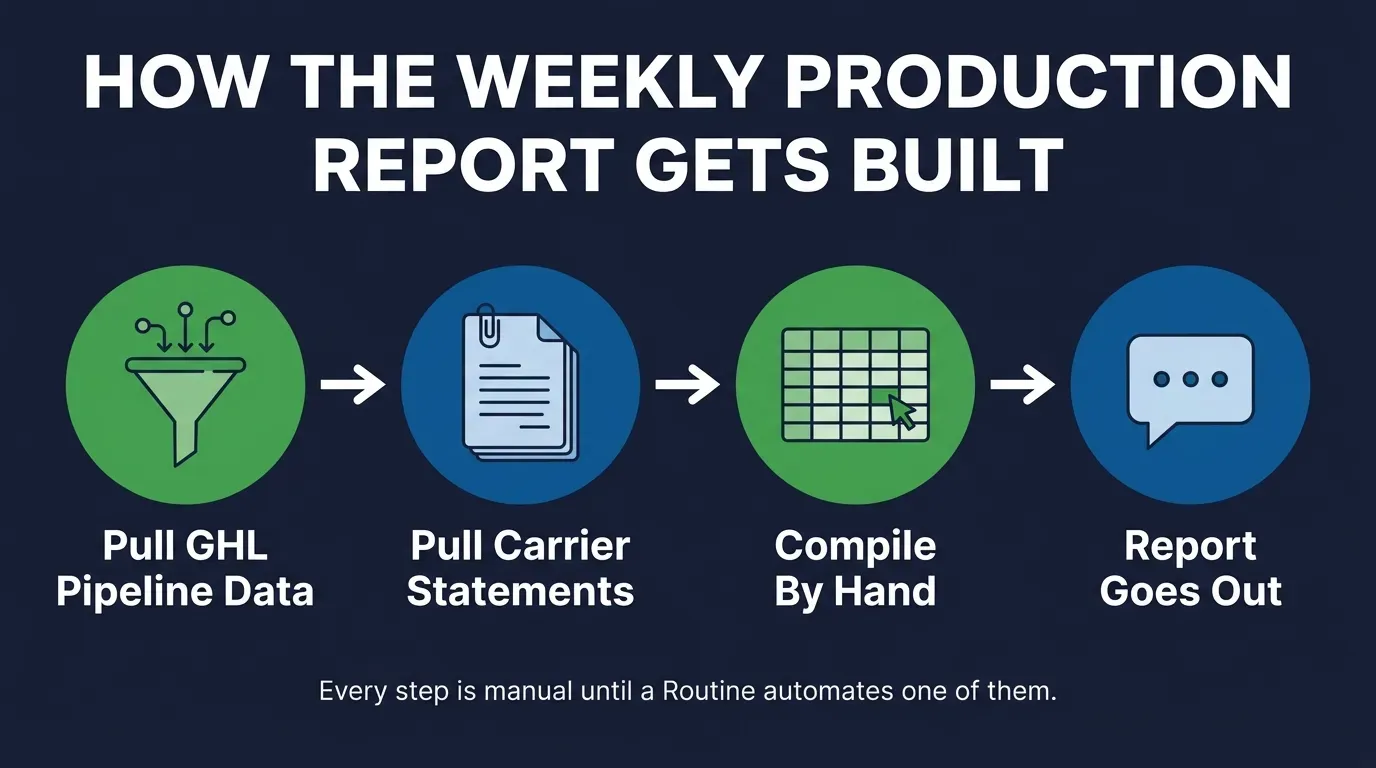
Here’s what actually happens on a normal Friday, or whichever day the report is due. The pipeline numbers live in GoHighLevel — that’s where most independent health and life agencies run their CRM and marketing automation. The closed-business numbers, though, often don’t match what GHL shows, because a policy can be submitted in GHL and not actually issue for another two or three weeks, and the carrier’s own portal is the only place that confirms an issue date. So the report requires opening GHL, exporting or screenshotting the pipeline view, then opening one or more carrier portals to confirm what actually issued this week, then pulling both into a spreadsheet to build the actual numbers, then formatting whatever the report needs to look like for whoever reads it — a Slack message, an email, a slide for a Monday call.
None of this is technically hard. It’s the kind of task where every individual step takes five or ten minutes, and the whole thing eats an hour or more once you add it up, and it has to happen again next week regardless of whether anything about the underlying process changed. During a normal week that’s an annoyance. During the eight weeks of AEP, when the pipeline is moving faster and the report matters more because everyone wants to know how the season is tracking, it’s an hour or more carved out of the exact weeks agents have the least of it to spare.
Why this specific report is so hard to keep current
The core problem isn’t that any single system is bad. It’s that the data a complete production report needs is split across systems that were never designed to talk to each other for this purpose.
GoHighLevel knows the pipeline, not the carrier’s confirmation. GHL tracks what your team entered — a lead moved to “quoted,” an opportunity moved to “application submitted.” It doesn’t automatically know whether a carrier actually issued the policy, because that confirmation happens inside the carrier’s own system, on the carrier’s own timeline, which can run days or weeks behind what your team recorded internally.
Carrier portals don’t talk to your CRM at all. Each carrier has its own portal, its own login, its own export format, and none of them push data into GoHighLevel automatically. If you write business across five or six carriers — common for an independent Medicare or ACA agent — that’s five or six separate logins and exports every time you want a complete production number.
Multi-location or multi-agent agencies multiply the problem. A single agency with more than one location, or more than one producer, often runs separate GHL sub-accounts or separate pipelines. A report that’s supposed to roll up the whole agency has to pull from each one separately and combine them, which is exactly the kind of repetitive, mechanical task that’s easy to get wrong under time pressure.
Formats never match what the report needs. GHL’s built-in reporting views are real and useful, but they’re built for GHL’s own layout — they don’t automatically produce whatever specific breakdown a manager, an upline, or a carrier relationship actually requires. That gap is where the spreadsheet comes in, and it’s also where a transcription error creeps in, because someone is retyping a number from one screen into another.
What it costs to keep doing this by hand
We looked for a sourced, methodologically transparent figure for how many hours the average agent or agency spends building a report like this, and we couldn’t find one. Every version we found circulating — “agents spend six to ten hours a week on admin,” “reporting eats four to eight hours” — traced back to a vendor’s own blog post with no visible sample size, no stated methodology, and no way to check the number against anything. Our own sourcing standard is that a figure needs a named source, a real methodology, and a stated period, or it doesn’t get printed here. So we’re not printing an hours estimate, and if you read one elsewhere with no named study behind it, treat it the same way.
What is sourced and useful: the median hourly wage for a US insurance sales agent was $29.02 as of May 2024 data, on a median annual wage of $60,370, across an occupation that employs 568,800 people nationally (BLS, Occupational Outlook Handbook). Do the arithmetic yourself, against your own actual week — however many hours you personally spend exporting, cross-referencing, and reformatting this report, that’s time priced at whatever your hour is actually worth, taken away from selling or from anything else that hour could have gone toward. We’re not going to tell you it’s six hours or ten hours, because nobody’s sourced that number honestly. We are telling you it’s not free, and the price is whatever your own hour is worth.
The other real cost is timing, and this one is fully sourced and non-negotiable. The 2026 Annual Enrollment Period runs October 15 through December 7, and “the plan must get your enrollment request by December 7” for a change to take effect January 1, 2027 — there’s no stated grace period past that date (Medicare.gov, Open Enrollment). Separately, CMS’s Contract Year 2027 Medicare Advantage and Part D final rule, issued April 2, 2026, removes restrictions on the time and manner in which beneficiaries can have conversations with licensed agents and brokers (CMS, CY2027 MA and Part D Final Rule fact sheet) — which, combined with a fixed hard deadline, means the AEP window is both more flexible in how conversations can happen and completely inflexible in when they have to finish. An agent who doesn’t know, in real time, which pipeline opportunities are stalling is finding out about a missed window after December 7, when there’s nothing left to do about it.
Nobody tells you a lead has gone quiet for a week. You only find out if you're actually looking at the pipeline, on a schedule, before the deadline that doesn't move.
Mike MooreHow to build the report by hand, completely
This is the part we’re not holding back. Here’s the real process, with zero tools beyond what you likely already have and no membership required.
Decide the four sections before you touch a spreadsheet
Pipeline by stage, new business this period, lead source performance, and a flag list of stalled items. Agree on this structure once, in writing, so you're not redesigning the report's layout every week alongside pulling the numbers.
Export the GoHighLevel pipeline view on a fixed day and time
Same day every week — pick Friday morning or Monday morning and stick to it, so week-over-week comparisons are actually comparing the same point in each cycle. GHL's pipeline view shows opportunities by stage; export or screenshot it as your raw pipeline snapshot.
Log into every carrier portal you write business through
Pull confirmed issued policies for the period from each one. This is the step that catches the gap between "submitted in GHL" and "actually issued" — the two numbers are rarely identical, and the difference matters.
Reconcile GHL pipeline stage against carrier-confirmed status
For every opportunity marked "submitted" in GHL, check whether the matching carrier portal shows it issued, still pending, or declined. Update the GHL stage to match reality — this is also what keeps next week's pipeline snapshot accurate instead of drifting further from the truth every cycle.
Tag every lead by source and roll up performance by channel
If GHL's own lead-source field is being used consistently, this is a filter and a count. If it isn't — a common gap when sources get added informally over time — this is the week to fix the tagging going forward, even if this week's numbers are incomplete.
Build the flag list against a fixed threshold
Pick a number and keep it — "any lead untouched for 7 days" or "any opportunity in the same stage for 30 days" — and run the same filter every week. A moving threshold makes week-over-week comparison meaningless.
Assemble and distribute in whatever format the reader actually uses
A Slack message with the four sections as short bullet blocks reads faster than an attached spreadsheet for most audiences. Match the format to how the report actually gets consumed, not to however it's easiest to build.
Fix the threshold and the schedule before you fix anything else
The single biggest reason this report stops happening consistently is that the day, the format, or the flag threshold keeps changing, which makes it feel like a fresh project every week instead of a repeatable habit. Lock those three things down first, even before you think about automating any part of it.
| Report section | Primary source | Common gap |
|---|---|---|
| Pipeline by stage | GoHighLevel opportunity pipeline | Stage isn't updated when carrier status changes |
| New business this period | Carrier portal issued-policy list | Issue date lags submission date by days to weeks |
| Lead source performance | GHL lead-source custom field | Field isn't populated consistently across all sources |
| Flag list | GHL last-activity timestamp | No fixed threshold, so the list is inconsistent week to week |
Where the manual process breaks down at scale
The seven steps above are complete, and they work — for one location, one or two carriers, and a producer disciplined enough to run the same process on the same day every single week. They get genuinely hard to sustain the moment an agency adds a second location, a third or fourth carrier, or more than one producer whose numbers need to roll up into a single report. Each additional carrier portal is another login and another export. Each additional GHL sub-account is another pipeline to pull and reconcile separately before you can combine them into one number.
That’s the honest limit of the manual method: it doesn’t fail, it just stops scaling linearly. Twice the carriers and locations isn’t twice the time to build the report — it’s more, because cross-referencing more sources against each other gets slower per-source as the list grows, and the odds of a transcription error climb right along with it. A system built to hold the pipeline data and query it directly, on a schedule, is solving a structurally different problem than “be more disciplined about running the same seven steps.” If you’re weighing whether a tool like this belongs in your stack at all, our lean insurance agency software budget breakdown covers where automation tooling fits against the rest of the line items.
How Ambrose’s ghl spoke and Routines automate the report
Ambrose OS, the platform included with a Tech Savvy membership, doesn’t invent production numbers — the underlying data still has to exist in GoHighLevel and, where relevant, in a connected carrier system. What it removes is the two most repetitive parts of the manual process above: opening GHL and exporting pipeline data by hand, and remembering to run the whole thing on the same day every week.
The mechanism is the ghl spoke, documented as Ambrose’s connector to “GoHighLevel’s v2 API surface,” reading “Contacts, conversations, calls, pipelines, workflows, calendars, social, Voice AI, tasks, notes, custom fields” across 44 total tools (Ambrose docs, spoke-ghl, fetched August 2026). For a production report specifically, the relevant tools are ghl_pipelines_list and ghl_opportunities_list, which pull the same pipeline-by-stage data the manual method exports by hand, plus ghl_custom_fields_list for lead-source tagging. Writes — moving an opportunity’s stage, adding a note — go through a separate approval gate: per Ambrose’s documentation, write actions “stage as pending actions and require explicit approval in the floating chat widget or a per-team auto-approve flag” (Ambrose docs, spoke-ghl), so a report Routine reading pipeline data doesn’t touch anything in the pipeline unless you separately approve it to.
The ghl spoke's 44 tools, by documented category
Ambrose's own docs name five tool categories explicitly; the remainder cover the rest of GoHighLevel's v2 surface (calendars, social, Voice AI, and more) without itemizing each one by name.
Source: Ambrose docs, spoke-ghl, fetched August 2026. 44 tools total; the pipeline and contact categories are the ones a production-report Routine actually calls.
For the lead-source performance section specifically, Ambrose’s campaign-metrics spoke covers “email, SMS, social” channels and reports on “opens, clicks, replies, booked-call rates” through three tools — metrics_campaign_summary, metrics_recipient_engagement, and metrics_funnel_breakdown — with per-recipient identifiers stripped before any of that data reaches the model (Ambrose docs, spoke-campaign-metrics, fetched August 2026).
| Manual step | Ambrose mechanism |
|---|---|
| Export the GHL pipeline view | ghl_pipelines_list and ghl_opportunities_list pull pipeline data directly |
| Log into each carrier portal for issued policies | Still a manual or connector-specific step — the ghl spoke covers GHL, not individual carrier portals, so this stays a human check unless a carrier-specific connector exists for your carriers |
| Tag and roll up lead source performance | ghl_custom_fields_list for source tags, plus the campaign-metrics spoke for channel-level engagement |
| Build the flag list against a threshold | A query against synced pipeline data, asked in plain English against a stated threshold instead of a spreadsheet filter |
| Remember to run it the same day every week | A Routine — a scheduled prompt on a cron schedule — with output posted to Slack, email, or a GHL note |
That last row is where the actual habit problem gets solved. A Routine is, in Ambrose’s own words, “a scheduled prompt attached to an agent or a team,” defined on a standard five-field cron schedule — for example, 0 8 * * 5 for every Friday at 8 a.m. — with output going to “Slack, email, GHL note, log only” (Ambrose docs, Routines, fetched August 2026). Set one to run the same morning every week, point it at the pipeline and lead-source data through the ghl and campaign-metrics spokes, and the four-section report shows up as a Slack message instead of an hour blocked out on your calendar. Every run is logged, so there’s a record of what the pipeline looked like on any given week, not just whatever screenshot someone happened to save.
If you’d rather ask the question directly instead of waiting for a scheduled run, Ambrose’s War Room routes an operational question like “what’s our pipeline look like this week” to Alex Rivera, the COO persona on the nine-seat executive roster, or to Casey Park, the CFO persona, for a production or revenue-framed version of the same question (Ambrose docs, War Room, fetched August 2026). We cover the full roster and how dispatch works in our guide to Ambrose’s War Room for solo agency owners.
Carrier portals still need a human, or a carrier-specific connector
The ghl spoke reads GoHighLevel; it doesn't log into a carrier's own portal for you. The gap between "submitted in GHL" and "confirmed issued by the carrier" — the exact reconciliation step in the manual method above — still needs a human check, or a separate connector for that specific carrier system, unless your agency management system is one Ambrose already integrates with. Don't assume a Routine closes that gap unless you've confirmed the specific connector for your specific carrier stack.
What you get by joining
One Ambrose seat, including the ghl and campaign-metrics spokes and Routines, comes with a Tech Savvy Insurance membership: $97 a month, billed monthly, cancel anytime, founding rate locked in while the membership stays active. Alongside the seat: weekly Zoom calls with open Q&A and build-with-you sessions, 30+ hours of recorded training, AI and marketing training built specifically for health and life agents, pre-built AI templates and bot deployments, and a free annual in-person member workshop. It’s also an explicit no-recruiting zone — you can ask a real question about setting up your first reporting Routine without ending up on someone’s downline pitch list, which is a genuine point of difference from most agent Facebook groups.
Ambrose usage runs separately from the $97 seat
The membership includes one Ambrose seat; usage inside Ambrose runs through its own credit ledger with spend caps, so cost stays visible instead of showing up as a surprise line item. See the full Spokes catalog for what else is available beyond ghl and campaign-metrics — 18 built-in spokes in total as of this session.
Compliance: what this touches, and what it doesn’t
A weekly production report is an internal operations document. It doesn’t communicate anything to a beneficiary or prospect, so it doesn’t trigger the TPMO disclaimer requirement, and CMS’s Medicare Communications and Marketing Guidelines — which govern what you say to a beneficiary during AEP — don’t apply to the report itself. If your agency also runs Medicare marketing activity, those rules still apply to that activity independently; this report just isn’t the thing they govern.
Where AI governance does apply: if you’re using any AI tool, including Ambrose, to help build or summarize this report, the NAIC’s Model Bulletin on the Use of Artificial Intelligence Systems by Insurers — adopted by the NAIC in December 2023, with individual states issuing their own versions since — sets the expectation regulators increasingly apply: a written policy on how the tool is used, human review before anyone acts on its output, and documentation if a regulator or carrier ever asks. And because a full pipeline export can include real client names tied to plan type or enrollment status, treat that export the way you’d treat any document carrying protected health information — don’t paste it into a general-purpose AI tool without a signed BAA behind the destination. That’s the specific gap Ambrose’s PHI Rail is built to close: for any non-BAA destination, it runs a redact-then-rehydrate pipeline that swaps real identifiers for typed aliases like PERSON_xxxx before anything reaches the model, then restores the real values on the way back (Ambrose docs, PHI Rail architecture, fetched August 2026).
The close
Everything above — the four report sections, the fixed weekly schedule, the seven-step manual build, the flag-list threshold — works whether you ever join anything or not. That’s the point of writing it out completely. If you’d rather have the GoHighLevel and lead-source side of this pulled automatically, with a Routine posting the report to Slack on the same morning every week instead of a spreadsheet you rebuild by hand, one Ambrose seat comes with a Tech Savvy membership, and the weekly build-with-you calls are where agents actually set up their first reporting Routine, on their own pipeline, with people who’ve already done it: https://techsavvyinsurance.com/.
Before you rely on any figure in this article
Tech Savvy Insurance is a training and software community, not an insurance company, agency, or law firm, and does not provide insurance, legal, tax, or compliance advice. You are responsible for your own licensure and for complying with all applicable CMS, HIPAA, state, and carrier regulations. Wage data, enrollment dates, and platform capabilities can change — confirm current figures directly with the source before relying on any number here. AI-generated outputs may contain errors — always verify. Results may vary.
Frequently asked questions
Sources
- U.S. Bureau of Labor Statistics — Occupational Outlook Handbook: Insurance Sales Agents (May 2024 data) — bls.gov
- Medicare.gov — Open Enrollment — medicare.gov
- CMS — Contract Year 2027 Medicare Advantage and Part D Final Rule (fact sheet, issued April 2, 2026) — cms.gov
- NAIC — Insurance Topics: Artificial Intelligence (Model Bulletin, adopted December 2023) — content.naic.org
- Ambrose docs — Spoke: GHL — app.hiambrose.com
- Ambrose docs — Spoke: Campaign Metrics — app.hiambrose.com
- Ambrose docs — Routines — app.hiambrose.com
- Ambrose docs — War Room — app.hiambrose.com
- Ambrose docs — Spokes — app.hiambrose.com
- Ambrose docs — What is Ambrose — app.hiambrose.com
- Ambrose docs — PHI Rail architecture — app.hiambrose.com
Ready to put this into practice?
Join a private community of Health & Life insurance professionals using AI, Meta Ads, and automation to grow — without draining their bank account.
Join Tech Savvy — $97/month