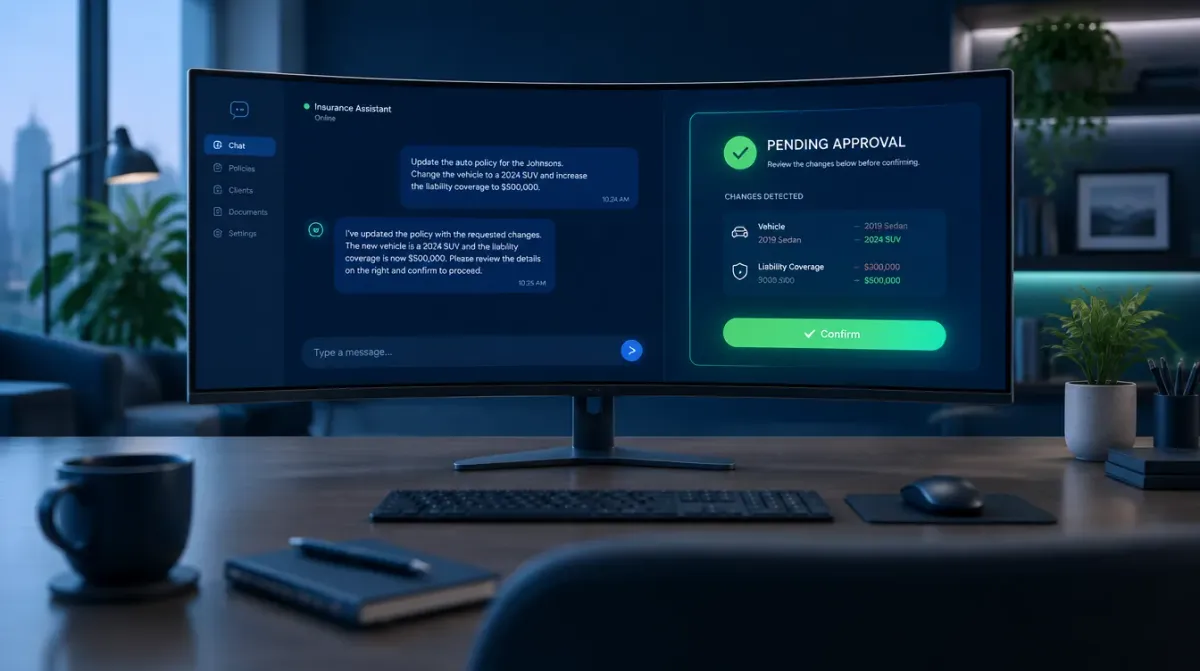
Yes — you can change what an AI agent does without writing code or filing a developer ticket, but “without a developer” and “without any friction” are two different claims, and most of the tools an agency already owns only deliver the first one. GoHighLevel’s workflow builder is genuinely no-code. It still asks you to reopen a visual canvas, find the right node among a dozen branches, and reason through what happens to contacts already partway through the sequence before you publish. That’s not nothing. It’s also not the same as typing a sentence and having the change staged for your approval.
Key takeaways
- GoHighLevel's own documentation confirms real safeguards for live workflow edits — a Draft/Publish toggle, version history, and specific handling for contacts mid-sequence — but none of it is a plain-English summary of what a change will do before you publish it (GoHighLevel Help Center, Workflow Builder Overview).
- Medicare's Annual Enrollment Period runs October 15 through December 7 (Medicare.gov) — this article publishes 24 days before it opens, which is exactly the window when a stale script line or an outdated plan detail in a bot does the most damage.
- Ambrose's admin-ops spoke exposes 18 tools for reading, creating, and updating agents, teams, skills, MCPs, and routines through natural-language requests, staged as a pending action requiring your explicit approval before anything changes (Ambrose docs, spoke-admin-ops).
- admin-ops cannot delete anything, and it never accepts an agency ID from the model itself — it relies on a trusted session header, so one tenant's chat session cannot reach into another agency's resources (Ambrose docs, spoke-admin-ops).
- Twenty-five jurisdictions have adopted the NAIC's AI Model Bulletin as written, with California, Colorado, New York, and Texas running their own insurance-specific AI frameworks (NAIC, jurisdiction adoption map, status as of April 1, 2026) — a written, reviewable record of what changed and why is exactly the artifact that governance expectation is built around.
The moment every agency runs into this
Here’s the scenario, and if you’ve run an agency for more than a season you’ve lived some version of it. It’s late September. AEP opens in three and a half weeks. Somebody on your team — maybe you — built an automation eight or ten months ago: a GoHighLevel workflow that texts new leads a qualifying question, or an AI receptionist script that answers common plan questions, or a chatbot that was supposed to handle the “what’s my deductible” conversation so a human doesn’t have to. It worked. Nobody’s touched it since.
Now it needs to change. A carrier updated a benefit detail. A script line references last year’s enrollment dates. Somebody wants the bot to stop offering a plan that’s being discontinued in your service area. Each of these is a small, specific, one-sentence change. And each one turns into a project, because the only way to make it is to open the thing that built it — a workflow canvas with a dozen branches, a settings panel you half-remember, or a codebase that belongs to whoever set it up, who may not work there anymore.
So the edit waits. Not because anyone decided it wasn’t important — because the cost of getting it wrong (breaking a live sequence three weeks before your busiest ten weeks of the year) is higher than the cost of leaving it stale for one more week. Then AEP starts, and the bot is still saying something from last year.
This isn't about GoHighLevel being bad software
Everything in this article about GoHighLevel's workflow builder is accurate to its own documentation, and it includes real protections — a draft mode, version history, and defined behavior for contacts already mid-sequence. The point isn't that the tool is unsafe. The point is that "no-code" and "no friction to change" are different promises, and conflating them is exactly what turns a one-sentence fix into a task nobody gets to.
Why this happens: the mechanism, not the excuse
Two structural things are going on, and they compound.
First, a visual workflow canvas is a map you have to re-read every time, because it doesn’t remember your intent. GoHighLevel’s Workflow Builder uses what its own documentation calls an “infinite canvas” — you add triggers, connect actions, and branch logic across a drag-and-drop interface. That’s a genuinely good way to build something the first time, when you’re actively holding the whole design in your head. Eight months later, you’re not holding it in your head anymore. You’re looking at a canvas full of nodes and trying to reconstruct why a branch exists, whether the node you’re about to edit is the one that matters, and what happens to everyone currently sitting inside the sequence when you change it.
Second, most tools separate “editing” from “understanding what you just changed.” GoHighLevel’s own documentation is honest about this, and it’s worth reading closely because it shows both the safeguard and its limit. The builder has a Draft/Publish toggle: “Draft mode means the workflow will not trigger and take actions for real” while Publish mode means it will, and importantly, “Saved and Published are not the same thing” — you can edit safely in draft before anything goes live (GoHighLevel Help Center, Workflow Builder Overview, fetched September 2026). There’s also a History feature that lets you view previous versions and step back to the builder from them. And GoHighLevel has clearly thought about the hardest part of live-editing a workflow: what happens to a contact who’s already inside it. Per its documentation, “contacts already progressing through a workflow can use updates made to upcoming actions,” but a contact currently executing a step like a Wait action “completes its current wait before continuing through the updated workflow” (GoHighLevel Help Center, Workflow Builder Overview).
That’s real engineering, and if you’re editing GoHighLevel workflows without using draft mode and checking history first, the fix is to start — see the manual method below. But notice what none of that gives you: a plain-English statement of what the change actually does, read back to you, before you commit to it. You still have to trace the canvas yourself to know that. The safeguard prevents the workflow from misbehaving. It doesn’t prevent you from misjudging your own edit.
The compliance layer makes this worse, not better, if you’re doing it right. If AI touches anything client-facing in your agency, the expectation — the NAIC’s Model Bulletin on the Use of Artificial Intelligence Systems by Insurers, adopted as written by 25 jurisdictions as of April 1, 2026, with California, Colorado, New York, and Texas running their own insurance-specific frameworks instead (NAIC, jurisdiction adoption map, fetched September 2026) — is a written program with human oversight and documentation you can produce. Good governance means someone reviews the change before it’s live. If reviewing it means re-tracing an unfamiliar canvas, you’ve made the safe thing and the slow thing the same thing, which is exactly how “we’ll fix it after AEP” becomes the actual policy.
The safeguard prevents the workflow from misbehaving. It doesn't prevent you from misjudging your own edit.
Mike MooreWhat a stalled edit actually costs
There isn’t a published industry benchmark for “hours agencies lose re-tracing automation canvases,” and this article isn’t going to invent one — if a number can’t be traced to a named source with a real methodology, the sourcing standard this site holds itself to says cut it, not soften it. What’s real and sourced is the wage you can multiply against your own time, and the calendar you’re up against.
The U.S. Bureau of Labor Statistics puts the median wage for insurance sales agents at $62,280 a year, or $29.94 an hour, as of May 2025 (BLS, Occupational Outlook Handbook, Insurance Sales Agents, fetched September 2026). Say a genuinely careful edit — reopening the canvas, tracing the relevant branches, checking draft mode against a test contact, reviewing history to confirm you’re editing the right version — takes 90 minutes, which is a plausible, not extreme, estimate for a workflow with real branching. That’s about $45 of licensed-agent time for one change, before you count the cost of the edits that don’t happen because nobody has 90 minutes free during AEP season. This is illustrative math built on a real wage figure, not a claim about what any specific agency spends — your own numbers depend on your own workflow complexity and who’s doing the editing.
The calendar cost is more concrete. Medicare’s Annual Enrollment Period runs October 15 through December 7 every year (Medicare.gov, Open Enrollment, fetched September 2026). This article publishes on September 21 — 24 days before AEP opens. Whatever’s wrong in a client-facing bot or workflow right now is wrong for the entire highest-volume stretch of your year unless someone fixes it before October 15, and the busier that stretch gets, the less likely anyone finds 90 uninterrupted minutes to open the canvas.
A concrete example: three edits, timed
Abstract advice about “friction” is easy to nod along to and hard to act on, so here are three specific, realistic edits an agency runs into every AEP season, walked through both ways.
Edit one: a script line references the wrong plan year. Your AI receptionist or chatbot has a line like “here’s what’s changing for 2026” and it’s now 2027 open enrollment. The manual path: find the script or prompt file, confirm you’re editing the live version and not a stale copy, change the line, and if it’s inside a GoHighLevel workflow action, switch to Draft, make the edit, test it against a dummy contact, check that no other branch also references the old year, then publish. Realistically 20 to 40 minutes if nothing is tangled. The admin-ops path: describe the change — “update RenewalsBot’s plan-year reference to 2027” — review the staged diff on the approval card, confirm. Ambrose’s documentation describes this as the intended use of admin_agent_update (Ambrose docs, spoke-admin-ops).
Edit two: a new agent needs to exist for a new workflow. Say you want a separate assistant that only handles Medigap birthday-rule questions, kept apart from your main lead-qualifying bot so it can’t drift off-script. The manual path with a custom-built bot usually means a new configuration file, a new deployment, and coordination with whoever manages the hosting — often a multi-day turnaround if it goes through an outside developer. The admin-ops path is the documented example almost verbatim: describe the new agent, what model it runs on, and what it should have access to; approve the staged creation (Ambrose docs, spoke-admin-ops).
Edit three: a plan is being discontinued and needs to stop coming up in conversation. This is the highest-stakes of the three, because getting it wrong means a client hears about coverage that won’t exist. The manual path demands the most caution of anything on this list — you’re not just editing a line, you’re confirming every place that plan gets referenced, across every workflow and script, by hand. The admin-ops path doesn’t remove that judgment call — a human still has to decide the plan is actually gone and confirm the wording — but it does mean the actual edit, once decided, is one staged, reviewable change instead of a search-and-hope across multiple systems. This is also exactly the kind of edit worth a second human’s eyes before you approve it, staged-approval workflow or not.
None of these examples are a claim that Ambrose is instant and manual work is universally slow — the plan-discontinuation edit above still needs the same human judgment either way. The difference is where the mechanical part of the work goes: into your own careful tracing of a canvas or a codebase, or into a one-sentence request and a review step built for exactly that purpose.
The manual method: how to edit a live GoHighLevel workflow safely
This part works whether you ever look at Ambrose or not. If your automations live in GoHighLevel, here’s the actual discipline, built directly from what GoHighLevel’s own documentation says the tool supports.
Switch to Draft before you touch anything
Per GoHighLevel's documentation, Draft mode means "the workflow will not trigger and take actions for real." Make every edit here first, no exceptions, even for a change that feels trivial. "Saved and Published are not the same thing" — saving your draft doesn't put it live.
Check History before you assume you know the current version
The builder's History feature lets you view previous versions. If more than one person can edit this workflow, or it's been more than a month since you looked at it, check history first — you may be about to re-break a fix someone already made.
Trace every branch that touches the node you're changing, not just the node itself
A visual canvas hides upstream and downstream logic outside your current view. Before editing a single action, scroll out and confirm which triggers feed into it and which actions follow it — the actual risk is rarely the node you're looking at, it's the branch you forgot was connected to it.
Know what happens to contacts already inside the workflow
Per GoHighLevel's documentation, contacts already progressing through a workflow pick up updates to upcoming actions, but a contact currently executing a step — a Wait action, for instance — completes that step first before the update applies. If your edit assumes everyone restarts from the new logic immediately, that assumption is wrong; plan for a transition window where old and new logic both apply to different contacts.
Test with one real or dummy contact before you publish to everyone
Run the draft against a single test contact and confirm the outcome matches what you intended, including any branch you weren't sure about. This is the step most skipped edits die on — not because it's hard, but because it's the one that takes the extra ten minutes nobody has.
Publish, then write one sentence about what changed and why
Not a full changelog — one sentence, in a shared doc or even a pinned note in the workflow's own name field. Six months from now, that sentence is the difference between the next edit taking ten minutes and taking ninety.
| Safeguard | What it covers | What it doesn't cover |
|---|---|---|
| Draft / Publish toggle | Edits in Draft mode don't trigger real actions until you publish | Doesn't tell you what the edit will do once published — you're still reasoning it out |
| Version history | You can view and return to previous versions of the workflow | Doesn't summarize the difference between versions in plain language |
| Mid-step contact handling | A contact inside a step (like a Wait) finishes that step before picking up your update | Doesn't warn you when this creates a transition window with two behaviors running at once |
| Visual canvas | Lets you see triggers, actions, and branches as connected nodes | Requires you to manually trace every upstream and downstream connection yourself |
If nobody remembers why a branch exists, that's the branch to leave alone
A workflow with an undocumented branch nobody can explain is a workflow where the safest edit is often the smallest one that solves today's problem, not a cleanup pass. Save the cleanup for a week that isn't three weeks before AEP.
The other kind of edit: changing what your AI persona actually says
Workflow automations are one half of this. The other half is the AI persona itself — the chatbot, the receptionist script, the assistant that’s supposed to answer a plan question or qualify a lead in your own voice. And here the manual options are usually worse than GoHighLevel’s builder, not better.
If you built a custom GPT, changing its behavior means reopening its configuration panel, editing its instructions field, and re-uploading any knowledge files if the underlying facts changed — with no staged approval step and no version history built for that purpose. Our guide to custom GPTs for insurance agents covers a related but different failure: one all-purpose assistant asked to do five unrelated jobs gets worse at all of them, and the fix is splitting the work across role-scoped assistants, not editing one thread harder. If you built something custom with a developer or an API integration, changing it usually means going back through that person or that codebase, which means whatever their calendar looks like is now also your bottleneck. Either way, the edit cycle is measured in a support ticket or a re-deployment, not in a sentence.
How Ambrose’s admin-ops spoke does this instead
This is the part that’s specific, documented, and worth being precise about, because “AI helps with this” isn’t a real claim and this site doesn’t publish that kind of sentence.
admin-ops is a spoke — Ambrose’s term for a tool server — inside Ambrose OS, the platform included with a Tech Savvy Insurance membership. Per its own documentation, it “provides tenant-scoped capabilities to read, create, and update Ambrose resources through natural language commands” and is what powers the platform’s floating chat widget, letting you build and modify your setup conversationally rather than through a separate settings console (Ambrose docs, spoke-admin-ops, fetched September 2026). It exposes 18 tools in total, split into two kinds:
- Read tools —
admin_list_agents,admin_get_agent,admin_list_teams,admin_get_team,admin_list_skills,admin_list_mcps, andadmin_list_sequences— for seeing what already exists before you change anything. - Staged write tools —
admin_agent_create,admin_agent_update,admin_team_create,admin_team_update,admin_skill_create,admin_skill_update,admin_mcp_add,admin_mcp_update,admin_sequence_create, andadmin_sequence_update— covering the five kinds of resources an agency actually builds: agents, teams, skills, MCPs, and routines (sequences).
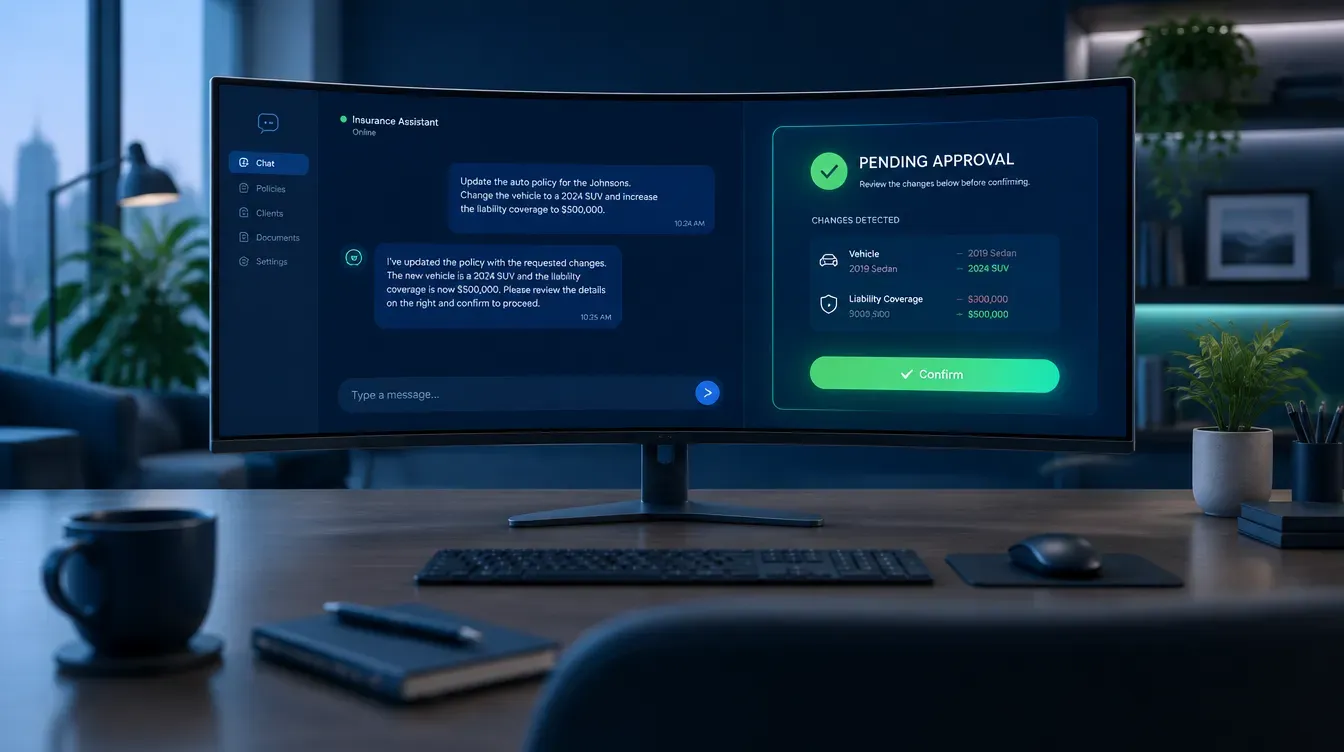
The documented example is worth quoting exactly, because it’s the whole pitch in one line: you type something like “Create a new agent called RenewalsBot with model claude-sonnet-4-6, give it access to agent-vault,” and admin-ops creates a staging record, shows you an approval card describing exactly what it’s about to do, and only executes once you confirm it (Ambrose docs, spoke-admin-ops, fetched September 2026). That approval card is the piece GoHighLevel’s Draft mode gets halfway to — a plain description of the pending change, not just a safe place to build it.
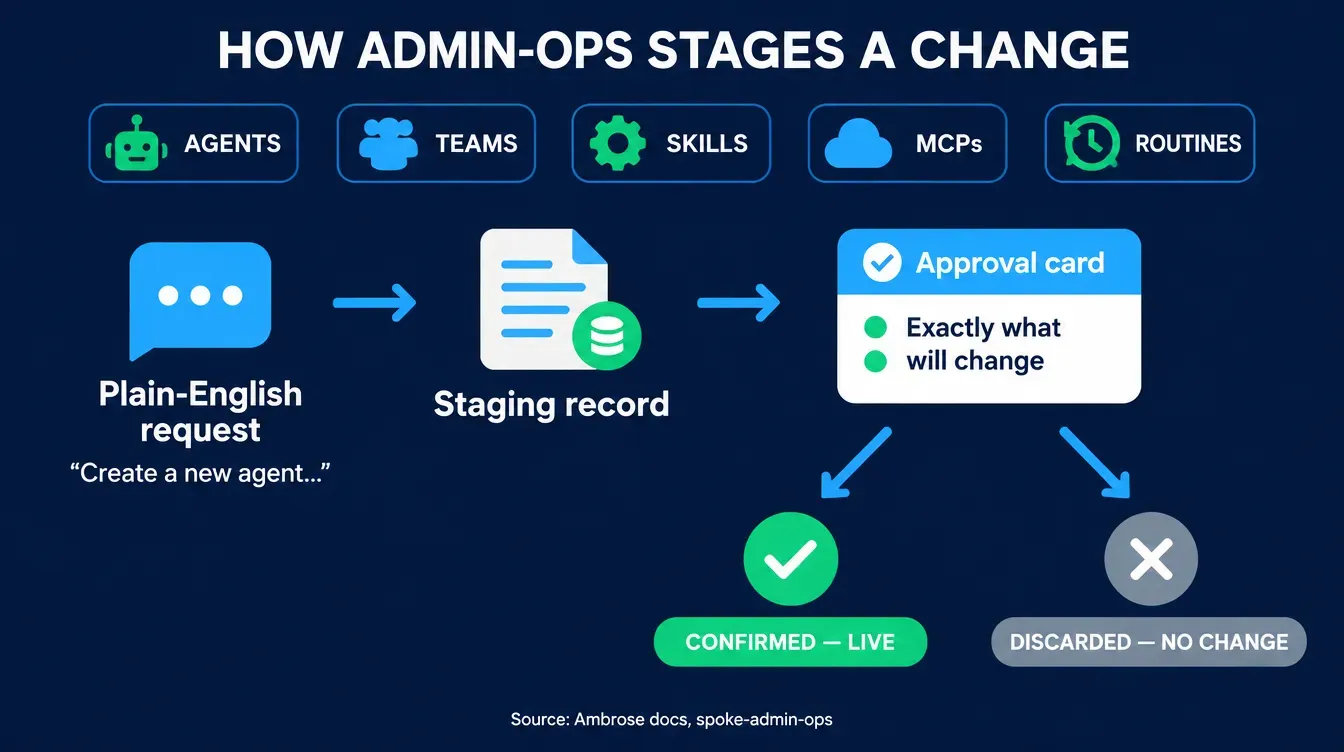
The security model is worth naming specifically, because “a chatbot can change my agency’s AI setup” should raise your eyebrows if there’s nothing stopping it from doing the wrong thing, or someone else’s thing. Per Ambrose’s documentation, admin-ops “never accepts agency_id from the LLM” — it relies instead on the trusted session header passed by the calling system, so the model itself can’t be prompted into reaching outside your tenant (Ambrose docs, spoke-admin-ops, fetched September 2026). Every write lands as a pending action, not a live change, until you confirm it. And deletions aren’t available through this spoke at all — it can read, create, and update; it cannot remove. That’s the one thing GoHighLevel’s builder doesn’t structurally rule out and admin-ops does: there’s no fast path from “describe a change” to “something is gone.”
Once you approve a change to an agent’s own configuration, it’s live immediately. Per Ambrose’s documentation on how agent files work: “Edit any file and the next chat turn picks up the change” (Ambrose docs, Agent files, fetched September 2026). Agents are defined in markdown files — identity, personality, memory, notes — and there’s no build step, no redeploy, no waiting on a release window between approving and it being real for the next conversation.
| Dimension | GoHighLevel workflow builder | Ambrose admin-ops |
|---|---|---|
| Interface | Visual drag-and-drop canvas | Natural-language chat request |
| Pre-publish review | Draft mode; you trace the canvas yourself | Approval card describing the exact staged change |
| Who can make the change | Whoever is comfortable in the canvas, often one person | Anyone who can describe the change in a sentence |
| Deletion risk | Possible; deletion is a normal builder action | Not available through this path — create and update only |
| Time from approval to live | Immediate on Publish, after your own tracing and testing | Immediate — next chat turn, per Ambrose's documentation |
These are different systems, not a straight swap
admin-ops changes Ambrose's own resources — agents, teams, skills, MCPs, and routines. It doesn't reach into your GoHighLevel workflow canvas and edit it for you; the two stay separate systems, connected where you choose to connect them through Ambrose's `ghl` spoke and integrations (Ambrose docs, Spokes catalog). The comparison above is about the editing experience for AI-driven behavior specifically, not a claim that one tool replaces the other line for line.
What you get by joining
One Ambrose seat, admin-ops included, comes with a Tech Savvy Insurance membership: $97 a month, billed monthly, cancel anytime, founding rate locked in while the membership stays active. Alongside the seat: weekly Zoom calls with open Q&A and build-with-you sessions, 30-plus hours of recorded training, Meta Ads, AI, and marketing training built specifically for health and life agents, pre-built AI templates and bot deployments, and a free annual in-person member workshop. It’s an explicit no-recruiting zone — you can ask a real “how do I change this without breaking it” question and get an answer, not a downline pitch, which isn’t true of most agent Facebook groups.
Everything above — the draft-mode discipline, the branch-tracing checklist, the one-sentence changelog habit — works whether you ever join anything or not. Ambrose’s admin-ops spoke is the version of “describe the change, review it, approve it” that applies to your AI agents and teams specifically, and the weekly build-with-you calls are where agents actually set this up next to people who’ve done it, three weeks before the season that makes it matter.
Stop treating every AI edit like a live wire
Run the GoHighLevel discipline above this week on your own, no membership required. If you'd rather describe a change in a sentence and approve it instead of tracing a canvas, one Ambrose seat, admin-ops included, comes with the Tech Savvy membership.
Join Tech Savvy — $97/monthCompliance: what this touches, and what it doesn’t
Nothing here replaces your agency’s own compliance program. Where AI touches anything client-facing — marketing copy, a lead-qualifying script, an answer to a plan question — the NAIC’s Model Bulletin on the Use of Artificial Intelligence Systems by Insurers sets governance expectations that 25 jurisdictions have adopted as written, with California, Colorado, New York, and Texas running their own insurance-specific frameworks instead (NAIC, jurisdiction adoption map, status as of April 1, 2026): a written policy, human oversight before AI output is acted on, documentation you can produce, and accountability that extends to any vendor whose AI tool you rely on. A staged approval card showing exactly what changed, and when, and who approved it, is a reasonable artifact to point to if that documentation is ever requested — it isn’t a substitute for a written program, but it’s the kind of record that program should already expect to exist.
NAIC AI Model Bulletin adoption, by jurisdiction
Out of 51 jurisdictions (50 states + D.C.), status as of April 1, 2026
Source: NAIC, Implementation of NAIC Model Bulletin: Use of Artificial Intelligence Systems by Insurers, jurisdiction adoption map, status as of April 1, 2026. California, Colorado, New York, and Texas are the four running their own insurance-specific frameworks.
If any AI-driven script or workflow touches Medicare marketing, the TPMO disclaimer obligation and CMS’s Medicare Communications and Marketing Guidelines apply regardless of how the tool was built or edited, and that obligation doesn’t pause for AEP’s own deadlines — if anything, it matters most in the exact window this article is published in. Ambrose is HIPAA-aware by default, not HIPAA certified, since there’s no such thing as HIPAA certification for a software platform; admin-ops’s staged-approval, no-deletion design is one part of a broader security posture, not the whole of it.
The close
Whatever’s stale in your GoHighLevel workflows or your AI scripts right now is going to stay stale straight through AEP unless someone edits it in the next 24 days — and the manual discipline above (draft mode, history, branch-tracing, a test contact, one sentence of documentation) is the free, complete way to do that safely, whether or not you ever look at Ambrose. If you’d rather describe the change once, review it, and approve it instead of retracing a canvas every time something needs to change, one Ambrose seat, admin-ops included, comes with a Tech Savvy membership: https://techsavvyinsurance.com/.
Before you rely on any figure in this article
Tech Savvy Insurance is a training and software community, not an insurance company, agency, or law firm, and does not provide insurance, legal, tax, or compliance advice. You are responsible for your own licensure and for complying with all applicable CMS, state insurance, HIPAA, and carrier regulations. Regulations, platform documentation, and vendor features can change — confirm current requirements directly with the cited sources, your state Department of Insurance, or qualified counsel before relying on any figure here. AI-generated outputs may contain errors — always verify. Results may vary.
Frequently asked questions
Sources
- Medicare.gov — Open Enrollment (Annual Enrollment Period dates) — medicare.gov
- NAIC — Implementation of NAIC Model Bulletin: Use of Artificial Intelligence Systems by Insurers (jurisdiction adoption map, status as of April 1, 2026) — content.naic.org
- GoHighLevel Help Center — Workflow Builder Overview — help.gohighlevel.com
- U.S. Bureau of Labor Statistics — Occupational Outlook Handbook: Insurance Sales Agents (median wage, May 2025) — bls.gov
- Ambrose docs — spoke-admin-ops — app.hiambrose.com
- Ambrose docs — Spokes (catalog) — app.hiambrose.com
- Ambrose docs — Agent files (hot-reload behavior) — app.hiambrose.com
Ready to put this into practice?
Join a private community of Health & Life insurance professionals using AI, Meta Ads, and automation to grow — without draining their bank account.
Join Tech Savvy — $97/month